Zenless Zone Zero is free to play on PC, and its requirements are lighter than most open-world releases. You need about 75 GB of space, 8 GB of RAM and a GTX 970-class GPU. This guide covers the official specs, the install steps in order and what to try when the game won’t launch.
What is Zenless Zone Zero?
Zenless Zone Zero, often shortened to ZZZ, is an urban fantasy action RPG from HoYoverse, the studio behind Genshin Impact. Disasters called Hollows have swallowed most of the world. New Eridu is the last city still standing, and it has built a whole economy around surviving them.
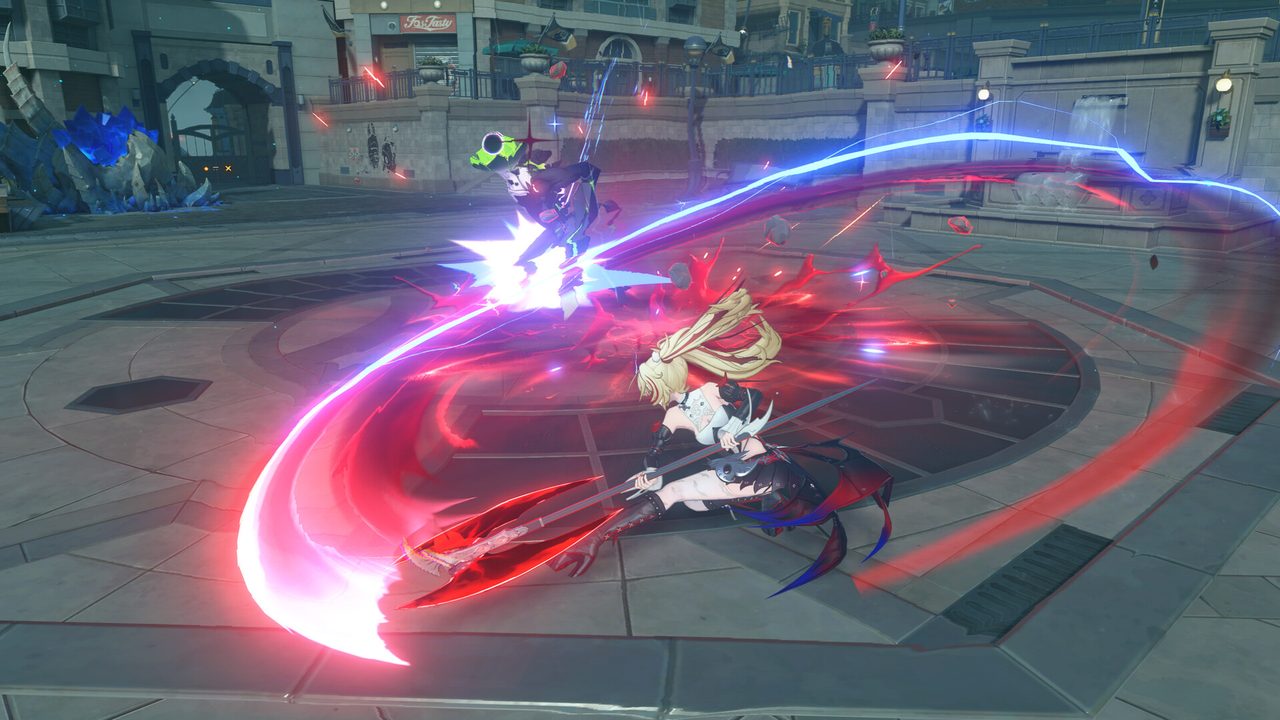
You play a Proxy, a guide for people who need to go into the Hollows. Combat is fast and stylish, with a team of Agents you switch between during fights. Between missions, you run a video store in New Eridu’s Sixth Street.
Zenless Zone Zero PC system requirements
These are the official specs from the game’s Steam listing.
| Minimum | Recommended | |
|---|---|---|
| OS | Windows 10 64-bit | Windows 10 64-bit |
| CPU | Intel Core i5 (7th Gen) | Intel Core i7 (10th Gen) |
| RAM | 8 GB | 8 GB |
| GPU | GeForce GTX 970 | GeForce GTX 1660 |
| DirectX | 11 | 11 |
| Storage | 75 GB (HDD supported) | 75 GB (SSD recommended) |
The GPU line is the one most players need to check. A GTX 970 or equivalent is the floor. Our guide to checking a game’s system requirements shows how to find your GPU model and compare it.
How to download Zenless Zone Zero on PC
- Free up 75 GB. Use an SSD if you can. HoYoverse supports hard drives, but loading between New Eridu and the Hollows is slower on them.
- Open the official download. Use the button below. It goes through our affiliate partner to the game’s official PC download page.
- Install the client. HoYoverse games install through its launcher, HoYoPlay. If you land on Steam instead, click Play Game and pick your install drive.
- Sign in with your HoYoverse account. Create one if you’re new. If you already play on another platform, use that account to keep your progress.
- Wait for the first-launch download. Let the game finish downloading resources before you start the prologue.
What to set up in your first session
- Frame rate cap. Combat timing depends on a steady frame rate. Choose a cap your PC holds during big fights, not just in menus.
- Display mode. Borderless windowed makes alt-tabbing smoother. Full screen can lower input lag slightly.
- Controls. ZZZ plays well on keyboard and mouse, and it also supports controllers. If you plan to use one, connect it before launching so the game picks it up.
How long does the Zenless Zone Zero download take?
Download time depends on your connection and the install size. The table below assumes about 75 GB, and HoYoverse games add resource downloads on first launch. Times are for the download itself, at the full speed of each connection.
| Connection | Approximate download time |
|---|---|
| 50 Mbps | about 3.3 hours |
| 100 Mbps | about 1.7 hours |
| 300 Mbps | about 33 min |
| 1 Gbps | about 10 min |
Real-world speeds usually land below a plan’s advertised figure, so treat these as best-case numbers. If the download runs far slower than your connection allows, check whether another device or app on your network is downloading at the same time, then pause and resume the download.
If Zenless Zone Zero won’t install or launch
Try these in the order worth trying them. Stop as soon as the problem is fixed.
- Repair the files. Use the repair option in HoYoPlay, or Properties → Installed Files → Verify integrity of game files on Steam.
- Update the GPU driver. A crash on the loading screen after an update usually points to the driver.
- Check your free space. An update that runs out of space leaves broken files behind. Free space, then repair again.
- Close overlays and recorders. Close them one at a time, then relaunch.
If the game still won’t start, our PC game troubleshooting guide covers launch errors and crashes in more depth.
Ready to install
ZZZ is one of the lighter big releases to run on PC. Start the download and sign in, and the prologue drops you straight into a Hollow.
This download link is an affiliate link — see our Affiliate Disclosure for how that works. It doesn’t change anything about your download or account.