The best thermal paste for a gaming PC is a non-conductive paste that spreads easily, such as ARCTIC MX-6, ARCTIC MX-4 or Noctua NT-H2. All three are safe if a little ends up on the motherboard, and all three perform within a few degrees of the most expensive options.
Temperature is one of several limits on frame rate, and the others are covered in our PC performance tuning guide.
This guide compares four pastes, then covers when you need to replace paste and how to apply it.
As an Amazon Associate, Gamesness earns from qualifying purchases. We have not bench-tested these pastes ourselves. The picks are based on the manufacturers’ published specifications, and each link goes to the Amazon listing we checked for that product.
What thermal paste does
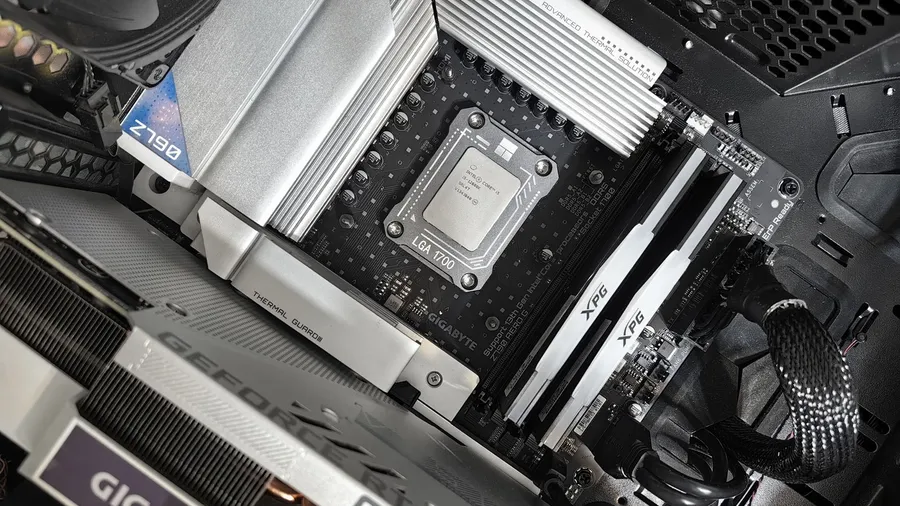
Thermal paste is a heat-conducting compound that fills the microscopic gaps between a processor’s metal lid and the base of its cooler. Air trapped in those gaps is a poor conductor, so paste lets heat move into the cooler far more efficiently.
It is not an adhesive, and more is not better. The goal is the thinnest layer that fills the gaps.
Thermal pastes compared
| Thermal paste | Tube size in this listing | Electrically conductive | Best for |
|---|---|---|---|
| ARCTIC MX-6 | 4g | No | Most builders |
| ARCTIC MX-4 | 8g, with spatula | No | Value and multiple builds |
| Noctua NT-H2 | 3.5g, with 3 cleaning wipes | No | Easy application and cleanup |
| Thermal Grizzly Kryonaut | Varies by pack | No | Enthusiast and overclocked builds |
The picks
ARCTIC MX-6: best for most builders
MX-6 is ARCTIC’s current mainstream paste. ARCTIC describes it as non-conductive and non-capacitive, so it won’t cause a short if it touches nearby components.
A 4g tube covers several CPU applications. Pick it for a new build or a repaste and you are unlikely to want anything else.
Check price on AmazonARCTIC MX-4: best value
MX-4 is the older sibling of MX-6 and has been a default recommendation for years. This listing is an 8g tube with a spatula for spreading.
It is the one to buy if you maintain more than one PC or want paste left over for a graphics card or console later.
Check price on AmazonNoctua NT-H2: easiest to apply and clean
NT-H2 comes in a 3.5g syringe with three cleaning wipes, which Noctua says is enough for 3 to 20 applications depending on CPU size. It needs no spreading and no curing time.
The included wipes make it a tidy choice for a first repaste, since removing the old paste is half the job.
Check price on AmazonThermal Grizzly Kryonaut: enthusiast pick
Kryonaut is aimed at overclocking and high heat loads. Thermal Grizzly lists a thermal conductivity of 12.5 W/mK, and it is not electrically conductive.
It costs more per gram than the others. On a stock gaming PC the gain over MX-6 or NT-H2 is small, so buy it for a hot high-end CPU or because you want the last degree.
Check price on AmazonWhen should you replace thermal paste?
Replace paste any time the cooler comes off, because the old layer never reseats cleanly. Otherwise, let temperatures decide.
Check what your CPU reaches under load using the method in our guide to monitoring CPU and GPU temperature while gaming. If temperatures have crept up over a couple of years, clean the dust out first. Dust is a more common cause than dried paste.
If the PC is throttling or shutting down, work through how to tell if your PC is overheating before you buy anything.
How to apply thermal paste
Unplug the PC and touch bare metal on the case to discharge static before you start.
- Run the PC for a few minutes, then shut down. Warm paste releases more easily.
- Remove the cooler with a gentle twist. Never pull straight up on an AMD AM4 cooler, since it can lift the CPU out of the socket.
- Clean both surfaces with isopropyl alcohol of 90% or higher and a lint-free cloth or coffee filter.
- Apply a pea-sized dot to the centre of the CPU.
- Refit the cooler, tightening screws a few turns at a time in a cross pattern so the pressure is even.
- Check temperatures under load and compare them with before.
Avoid liquid metal unless you know exactly what you are doing. It is electrically conductive and reacts with aluminium.
If paste doesn’t fix it
New paste will not rescue a cooler that is too small for the CPU. If temperatures are still high afterward, see our picks for the best CPU coolers for gaming, and run a before-and-after test using free benchmarking tools so you can see the difference.